Platform Pages
The following are links to overviews on how the platform’s lead content pages work:
Activities on the platform are guided through a step-by-step process and supported by email notifications and user tips. To learn how CM works, see: i) Method – explains how the business model works and who the players are, and; ii) Process – describes how members of a community engage.
Profiles
Platform participants start to engage by creating a Profile.
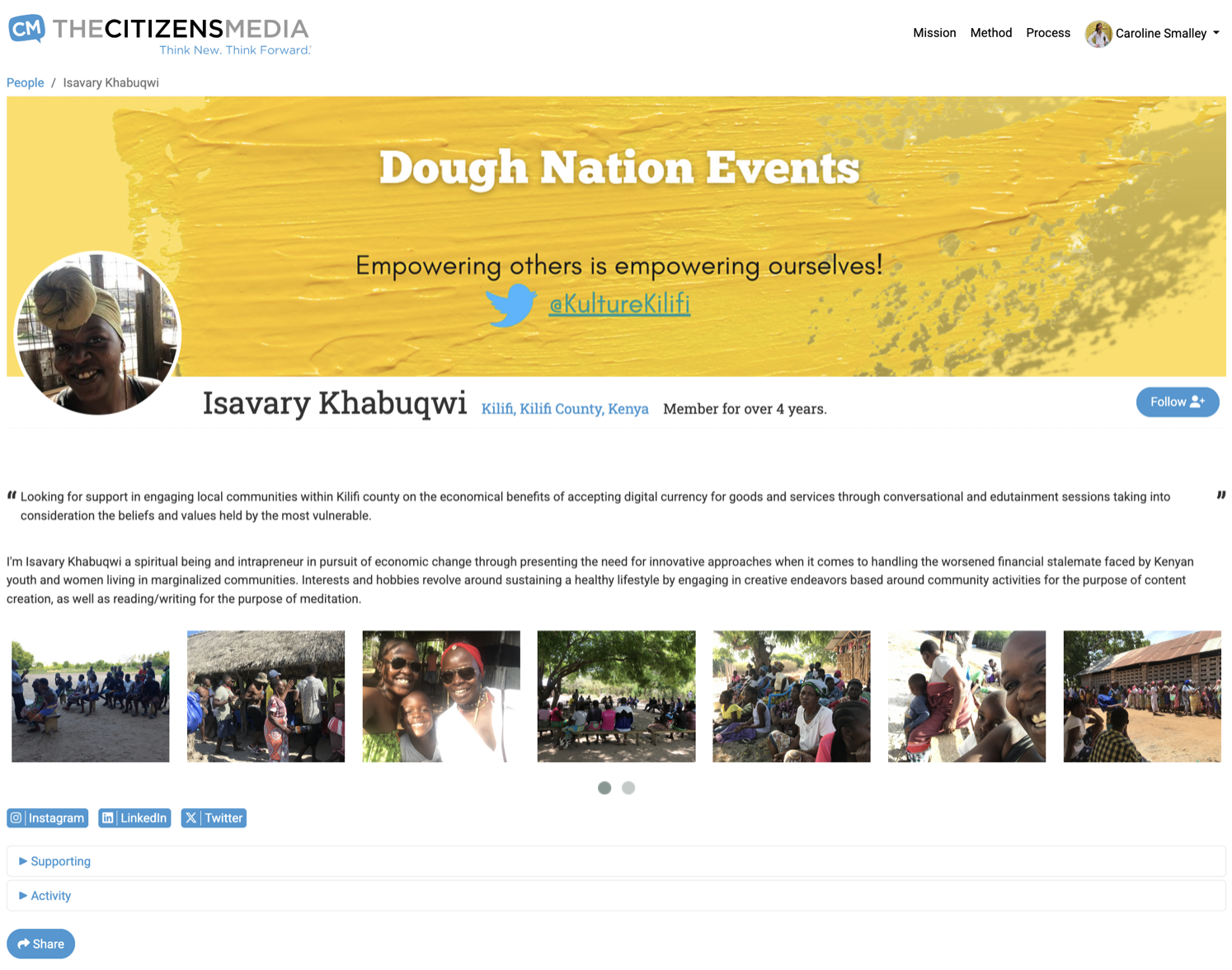
Publicly visible profile content can include:
- Participant bio and message of support – their motivation for engaging, which may be rotated on the-cm.com homepage.
- Bio pic, banner image, multimedia galley and social sharing tools.
- Links to the participant’s presence on other platforms.
- Links to their content – see Activity below – and donations to Funding Opportunities (unless pledged anonymously) – see Supporting below.
Example Public Profiles: links to Keabetswe’s and Isavary’s Profile Pages.
Important Notes
- For a participant to start a Business Page and/or Funding Opportunity, they must get validated by the Community Coordinator as living in their declared community.
- If a participant is supported by a Media Facilitator, a link to the facilitators profile is included on the participants Profile Page, and an icon noting that content was facilitated will be incorporated on content itself.
Private content you can access when signed in:
-
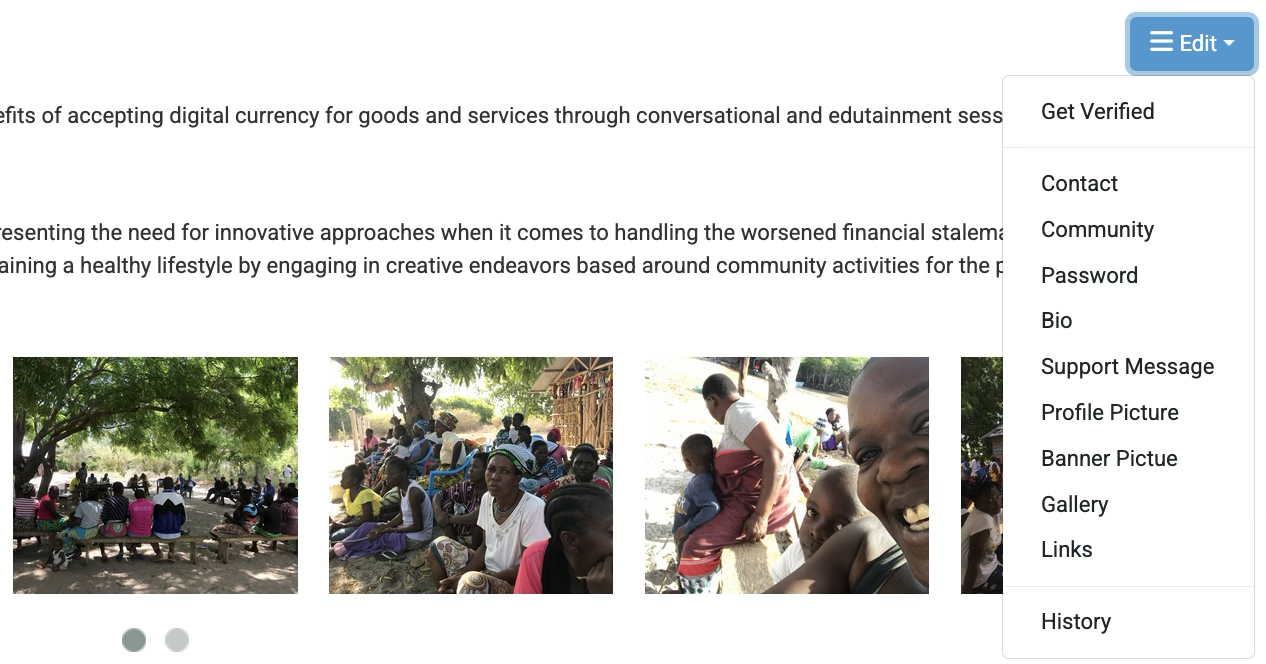
Profile Page Editing Tools
Editing tools can be accessed beside your bio:
-
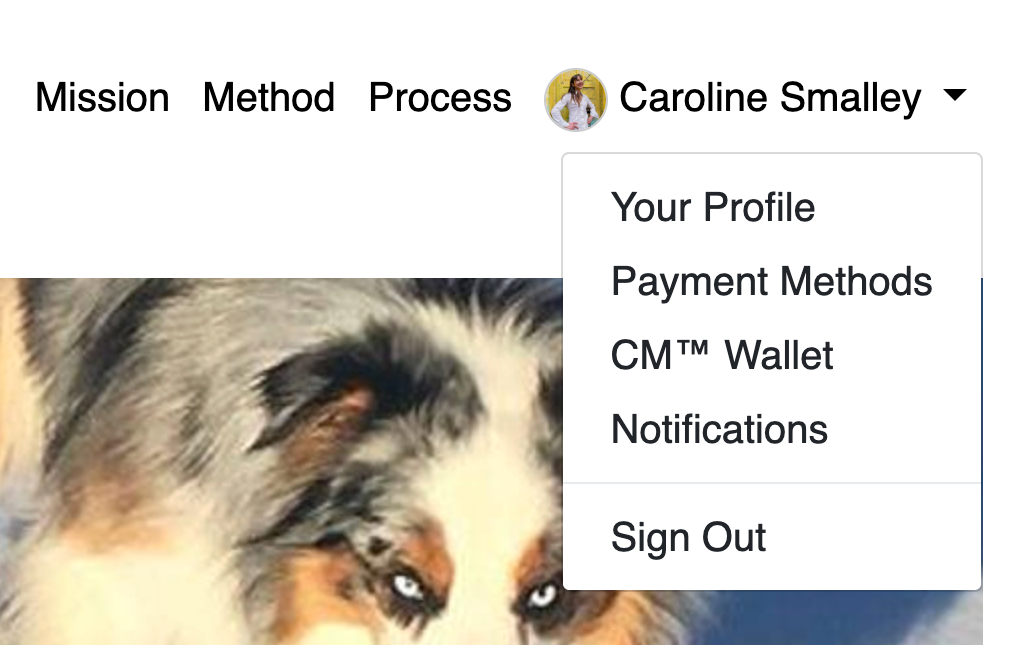
Account Information
To access your account, sign in and click on your name, top right:
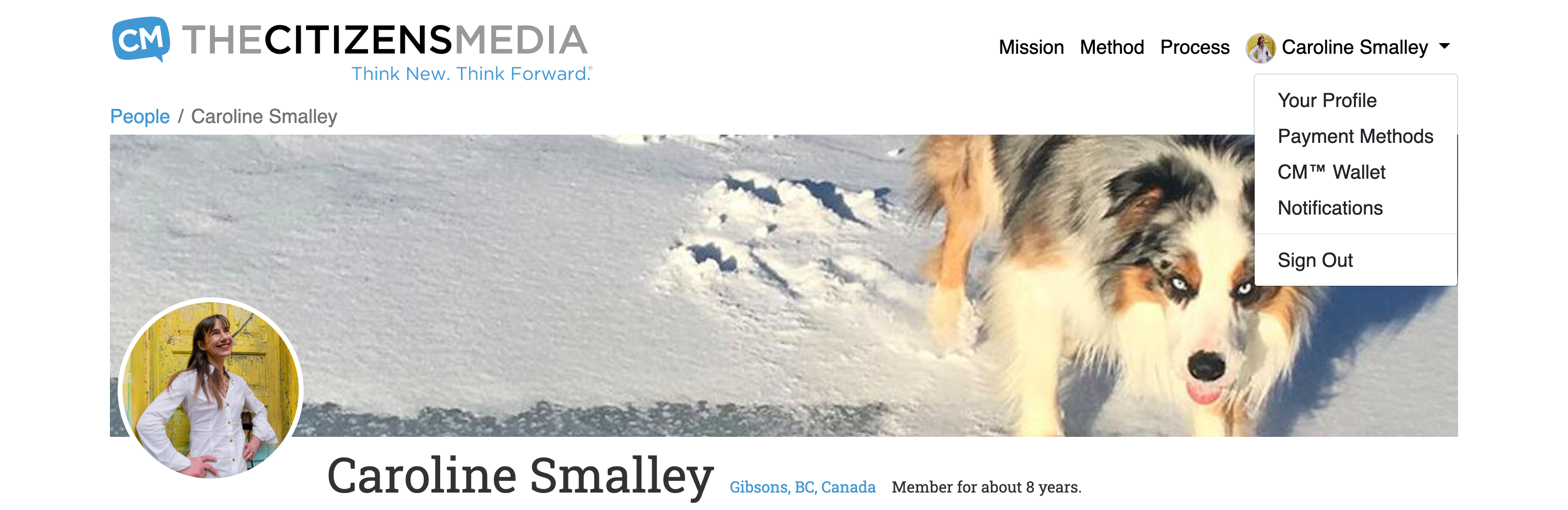
Links in your account include Notifications you’ve asked to receive, your donation Payment Methods and your CM™ Wallet Statements detailing how many Coins you have earned and from where.
Community Pages
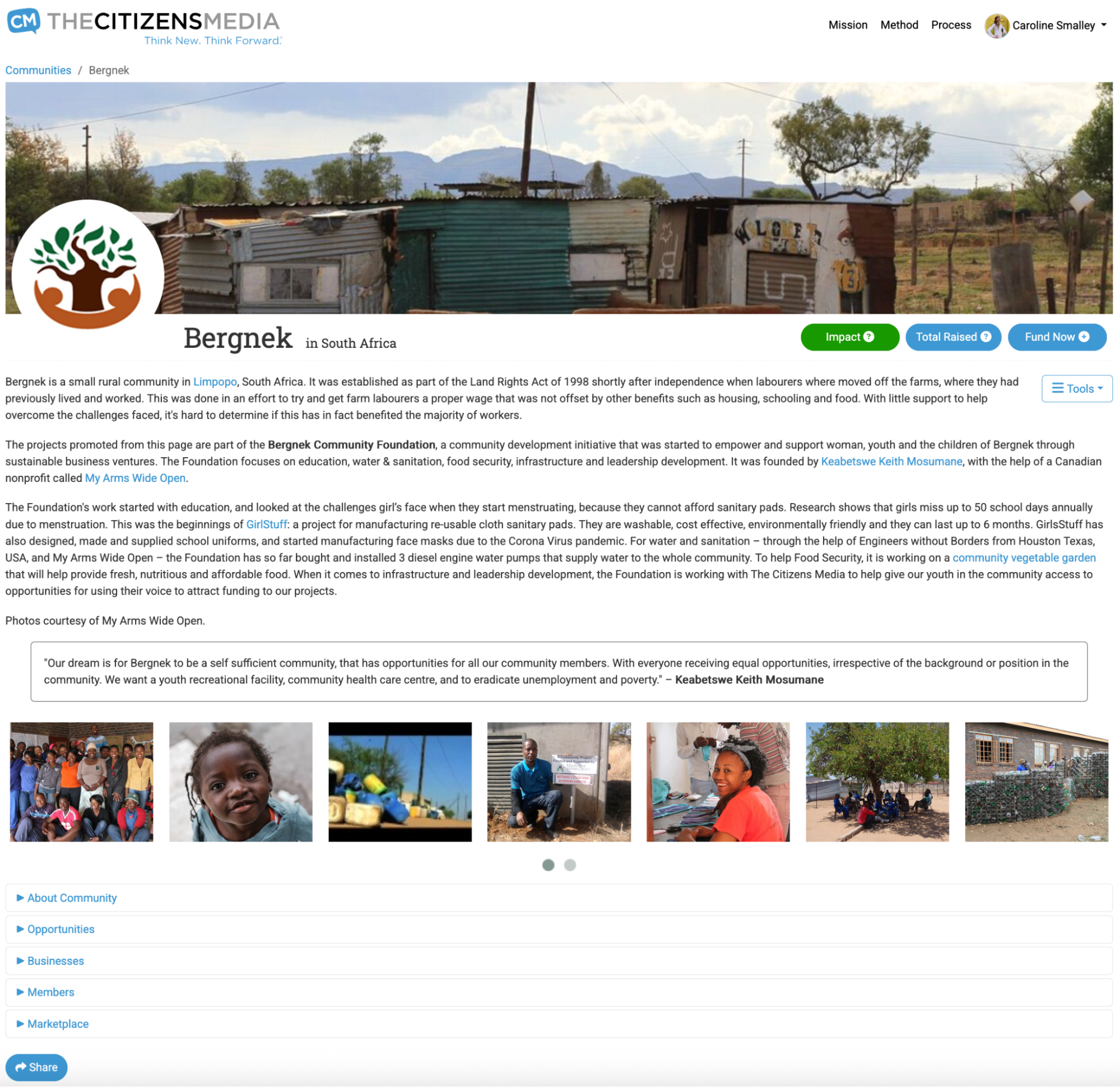
Managed by Community Coordinators who can allocate admin rights, Community Pages:
- Host information about a community’s culture, activities, economy, environment and demographics – highlighting the opportunities and challenges faced.
- Include forums, multimedia galley, social sharing tools, the ability for community members to post updates.
- Incorporate links to the community’s participating businesses, Funding Opportunities, members and Marketplace.
- Offer the ability to pledge funds to its business Funding Opportunities; Display information about total funds raised across all its businesses, and; Indicate Impact made from funds – the Impact Indicator.
Example Community Page Bergnek, South Africa.
Importanot Note
When a funder gives through a Community Page, funds are distributed to the community’s live Funding Opportunities. How much each Funding Opportunity gets depends on quantitative items – such as number of comments, views and shares – as well as more qualitative measures relating to how well the business and its conversations are supporting both people and planet.
Business Pages
Once a community has a Community Coordinator and a Community Page, validated members who need funds for their business, start by creating a Business Page.
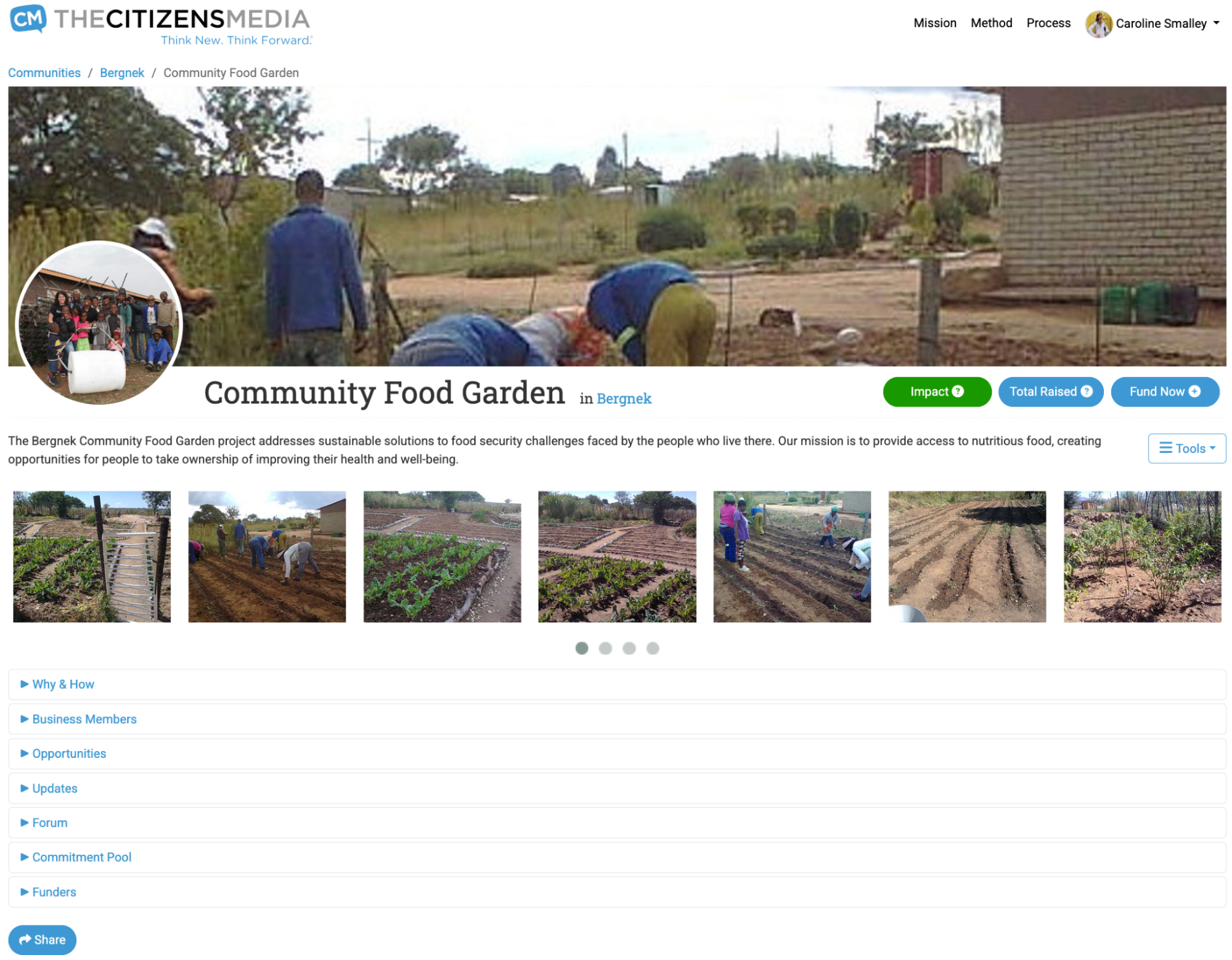
Business Pages:
- Host information about the what, why and how of a business, highlighting why the community needs it and how it supports both people and planet.
- Include forums, multimedia galley, social sharing tools and the ability for community members to post updates, and for page creators to share admin rights.
- Incorporate links to its Funding Opportunities, members, Marketplace and funders.
- Offer the ability to pledge funds, show funds raised to date, and the businesses Impact Indicator.
Example Business Page: Community Food Garden
Important Notes
- Business Pages must be approved by the Community’s Coordinator before they go live. This process is managed through email notifications.
- When a funder gives through a Business Page, funds are distributed across the businesses’ live Funding Opportunities. How much each Funding Opportunity gets depends on quantitative items – such as number of comments, views and shares – as well as more qualitative measures relating to how well the business and its conversations are supporting both people and planet.
Opportunity Pages
Once a community has a Business Page, they can apply for as many Funding Opportunities as they like.
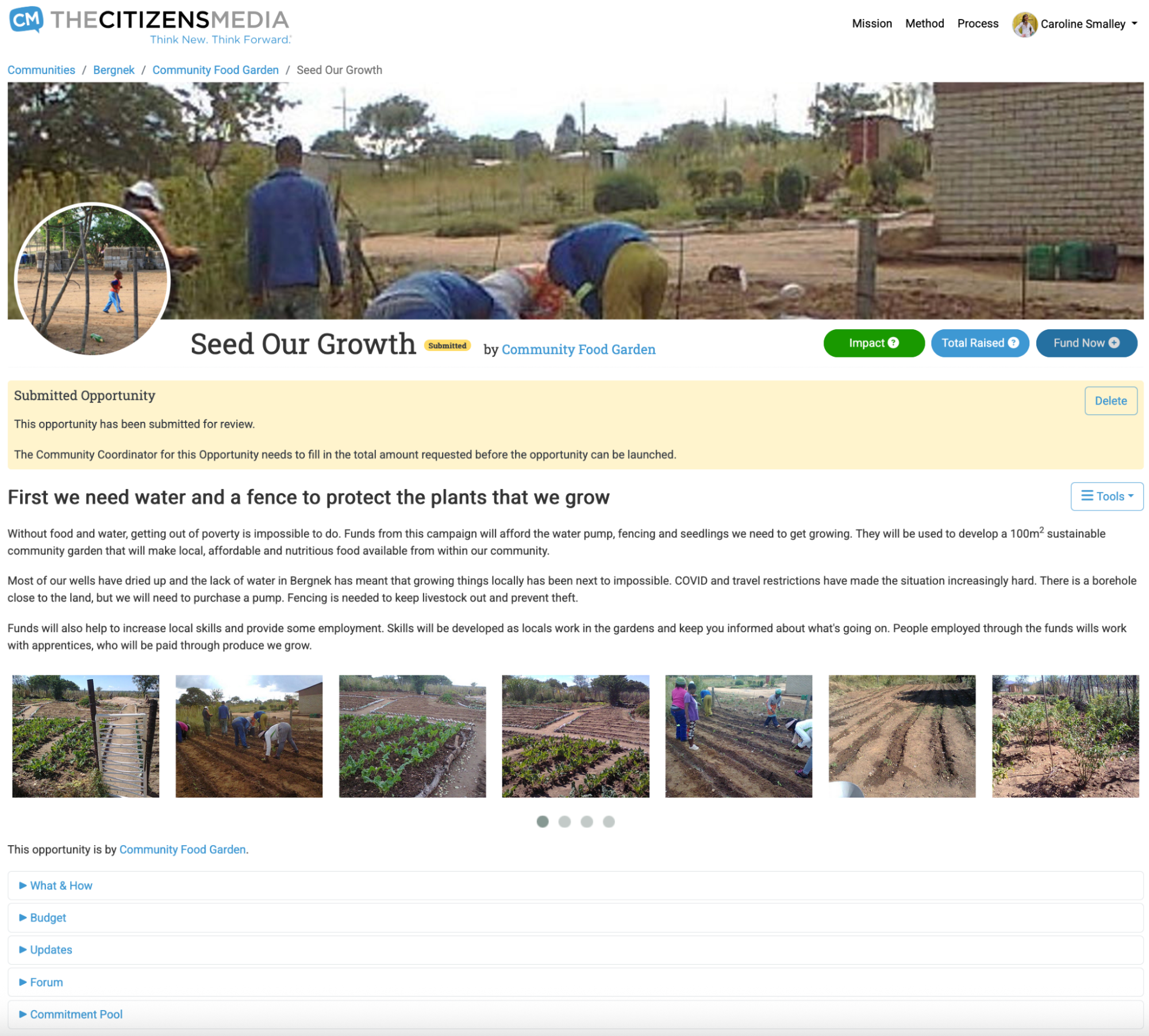
Funding Opportunities:
- Host a title, tagline, an overview and multimedia galley.
- Feature a forum, social sharing tools and the ability for community members to post updates.
- Offer the ability to pledge funds, shows funds raised to date, and its businesses Impact Indicator.
-
Provide line item detail on:
- What funds are for and why they are needed.
- How and when each item will be used.
- Budget
- Commitment Pool List of products made by supported businesses that – once funded – they agree to exchange – in part or full – for CM Coins™. Products and their values (in national currency and CM Coins™) appear in their Marketplace. Commitment Pools includes information about the: i) total number of Coins the business will accept as it ‘pays funds forward’, and; ii) the date at which they’ll accept them. Supported businesses may begin by only committing a small percentage value against the funds they received, then increase their commitment later. How much they commit to give and when corresponds to the release of CM Coins™ distributed to community members who helped attract funds. The more CM Coins™ a business accepts against its products over time, the more it is ‘paying funds forward’ and the higher its Impact Indicator. The higher its Impact Indicator, the more likely it is to receive more funds.
Example Funding Opportunity
Important Notes
- Funding Opportunities must be approved by the Community’s Coordinator before they go live. This process is managed through email notifications.
- Labour budget items can include detail on who will be paid how much and in what currency/s.
- Items listed in Commitment Pools must be assigned a value in both CM Coins™ and national currency.
- Input of budget data is uploaded in the community’s national currency.
Tips on deciding how much to request from a Funding Opportunity:
- Focus on funding one step at a time – ask for enough to complete specific tasks, which will enable you to increase production, such that you can afford to ‘pay it forward’ by giving back on your commitment pool, but…
- Don’t ask for too much – you will only receive funds when your Funding Opportunity has been fully funded. Note: If a Funding Opportunity fails to attract new funds for a period of six months before reaching its goal, it will be closed and the funds pledged to date redistributed to other Funding Opportunities within your community.
- Paying it forward – the more you ‘pay funds forward’ through your commitment pool, the more your community will want to support you.
Think New. Think Forward.® the-cm.com